Learn valuable insights and strategies from industry experts.

In this webinar, we define financial fraud and then describe how to detect suspicious activities. The webinar begins with a brief review of the Excel functionality used in an investigation: formulas, functions, and graphs. We then look at how to use default Excel tools such a Filter to examine a data set for fraud. We then discuss how to use Excel to spot suspicious activities using more advanced techniques such as Benford’s Law. Finally, we discuss best practices, how to present investigation results, and applying more advanced techniques.
• Fraud Detection
• What is it?
• Why Excel?
• Getting Familiar with Excel Tools
• Formulas
• Functions
• Graphs
• Fraud Detection Techniques
• Filter
• Formula and function example
• WEEKDAY
• TEXT
• VLOOKUP
• MATCH
• Advanced techniques
Anyone interested in expanding their knowledge of fraud investigation. For example:
• Financial professionals
• Business owners
• Investigators looking to expand their skillsets
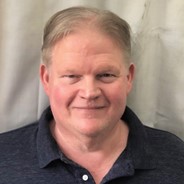
Jay Carlson More than 25 years of experience in the IT industry and 20 years as a technical writer, including working as the technical lead at a top software company supporting their financial software
• Co-author of OfficeFest 2007, a self-published series of training modules that includes Using Microsoft® Excel® for Financial Analysis, Microsoft® Excel® Pivot Tables and Charts, as well as Visual Basic for Applications in Microsoft® Excel® 2007
• SQL and iPhone® developer
• Google Data Analytics, Six Sigma, MCSE, MCDBA, ITIL, and SCRUM certified
• Southern Illinois University B.S. Administration of Justice
• University of Montana M.S. Public Administration with an emphasis in finance
• Grays Harbor College A.A. Journalism
• Excel
• SQL
• Statistics
• Technical Writer
Speaker: Erica Chisolm
Duration: 60 Minutes
Date: 12 August, 2026 (Wednesday)
Speaker: Dr. Susan Strauss
Duration: 90 Minutes
Date: 12 August, 2026 (Wednesday)
Speaker: John Fetzer
Duration: 60 Minutes
Date: 12 August, 2026 (Wednesday)
Speaker: William J. Rothwell
Duration: 90 Minutes
Date: 12 August, 2026 (Wednesday)